Article
How to Check Where an Internet Broadcaster Resumed Streaming After Their Platform Contract Ended
How to Check Where an Internet Broadcaster Resumed Streaming After Their Platform Contract Ended
A creator may stop broadcasting on one platform after an exclusivity agreement expires, but an inactive channel does not automatically prove that the creator has signed with another service. They may be negotiating a new agreement, taking a break, switching to non-exclusive streaming, or leaving regular broadcasting altogether.
Old videos can also disappear for reasons unrelated to a contract. The creator may delete them, restrict access, disable VOD storage, or lose recordings after the platform’s retention period ends. Twitch currently stores ordinary past broadcasts for different periods depending on account status, and a broadcast is not saved when VOD storage is disabled.
The safest way to find a new channel is to follow links across independently confirmed creator accounts rather than trusting the first profile that appears in search.
Fastest Ways to Find a Streamer’s New Platform Right After Their Contract Ends
Start with accounts that the creator had already established before leaving the former platform. A new channel is more credible when it is linked from several older, independently verified profiles.
1. Check Bio and Pinned Posts on X (Twitter)
Open the creator’s known X account and inspect the bio, website field, recent posts, and pinned post. X allows users to add a website to their profile and pin one post above the rest of their timeline, making these common places to publish updated channel information.
Check the complete destination before opening a link. X routes posted URLs through its t.co link-shortening system, so review the destination shown by your browser rather than relying only on the visible link text.
Do not assume that every blue checkmark identifies the original creator. X uses different checkmarks and labels, and a blue check can be associated with Premium rather than independent identity verification. Compare the username, posting history, older links, and references from the creator’s other established accounts.
2. Look Up Multi-Link Portals (Linktree, Beacons) on Instagram / TikTok
Creators often place several destinations on one landing page, including live channels, stores, newsletters, and social profiles. A multi-link page is useful when it is reached from an established creator account.
Its first button does not automatically identify the current streaming platform. The page may be outdated, managed by an agency, or left unchanged during a hiatus. Follow the link and confirm that the destination channel contains matching branding, recent creator activity, and reciprocal links back to the original profile.
Avoid multi-link pages found only through advertisements, private messages, or fan accounts. A copied landing page can reproduce the creator’s name and photographs while replacing one destination with a phishing or donation link.
3. Check the Streamer’s Official Discord Server
A creator’s Discord server may publish schedules and channel changes in an announcement or stream-update channel. Discord announcement channels are designed to distribute published updates to members and even to other servers that follow the channel.
First verify that the server itself is official. Enter through an invite posted on the creator’s established website or social profile rather than through an unsolicited direct message. Discord distinguishes Verified Servers as official communities for businesses, brands, and public figures, but many legitimate creator servers do not have that status.
Treat moderator speculation separately from a statement published by the creator or management. Even an active community may not know where or when the creator will resume streaming.

Tips for Looking Up Transfer News on Forums and Reputable Outlets
A period of silence does not prove that negotiations are taking place under a non-disclosure agreement. The creator may simply have no announcement to make. Use reporting and community discussion to collect leads, but keep the status “unconfirmed” until the creator, management, platform, or another accountable source confirms it.
Community Forums (Reddit)
Search the creator’s current and former usernames together with terms such as:
new platform
contract ended
next stream
moving to
official announcement
Sort by date and open the original source linked in each discussion. A highly upvoted post may still repeat an unsupported rumor, an edited screenshot, or an impersonator’s message.
Dedicated communities can notice username registrations, schedule changes, and public company announcements quickly. Those clues help narrow the search, but they do not establish that the creator owns a newly discovered account.
Specialized Esports and Streaming News Outlets
Entertainment and esports publications may report contract endings, platform agreements, and first-stream dates. Evaluate each article by checking whether it cites the creator, management, platform, corporate filing, or another named source.
Terms such as “reportedly,” “sources say,” and “is expected to” indicate that the information has not been publicly confirmed. Publication speed and brand recognition do not guarantee accuracy.
Information Source Comparison Matrix:
| Information Source | Reliability | Update Speed | Key Advantage |
|---|---|---|---|
| Established creator accounts and official website | Strongest when several accounts link to the same destination | Often fast, but the creator may delay an announcement | Direct control by the creator or management |
| Platform or management announcement | Strong when the announcement names the exact channel and date | Usually published when an agreement becomes public | Confirms the business relationship |
| Established news outlet | Depends on sourcing and correction standards | Can be fast | Adds contract, industry, and timeline context |
| Forums and fan communities | Unverified until supported by primary evidence | Often fastest | Surfaces early clues and missing context |
No source type deserves a fixed percentage such as “100%,” “90%,” or “60%.” Official accounts can be compromised, news reports can be corrected, and community posts sometimes identify the correct channel before a formal announcement.
How to Watch Past Replays (VODs) and Highlights While the Streamer Is Inactive
Access Official YouTube VOD / Highlight Channels
Search the creator’s YouTube handle, channel links, playlists, and descriptions. YouTube handles are unique channel identifiers beginning with @, making them more reliable than display names alone when distinguishing similar accounts.
Some creators operate separate channels for full broadcasts and edited highlights. Do not assume that reuploading is automatically exempt from a former exclusivity agreement. Whether archived material can appear elsewhere depends on the contract and the rights attached to the content.
Utilize Web Archiving Tools (Wayback Machine)
The Wayback Machine can help recover an older profile description, schedule, or outbound channel link. Enter the former channel URL and examine snapshots from before and after the creator stopped streaming.
Archived pages are often incomplete. The Internet Archive states that not every page or date is fully captured, and password-protected, form-dependent, excluded, or otherwise inaccessible content may not be archived. Use it to locate historical text and links, not as a dependable source for playable VODs.
Follow Fanmade Clip Channels on TikTok / Reels / Shorts
Fan clips can help identify an old broadcast, guest, game, or date. They are not reliable proof of the creator’s new platform. Clips may be mislabeled, edited out of context, or uploaded without permission.
Use the information in a clip to search the creator’s official accounts. Do not follow donation, software-download, or account-login links from an unofficial clip page.
Signs a Streamer Is Nearing Contract Expiry and Preparing to Switch Platforms
None of the following behaviors proves that a contract is expiring. Stream schedules and branding change for many personal, creative, and business reasons.
Abrupt Decrease in Stream Hours or Dropping Sub Goals
Reduced hours may reflect health, travel, burnout, production work, family matters, or a planned break. Subscriber goals can disappear because the creator no longer wants to use them. Treat these changes as evidence of a schedule change, not a contract announcement.
Cryptic Social Media Posts (“Cryptic Tweets”)
A message such as “new chapter” or “more news soon” may precede a platform announcement, but it can also relate to a project, sponsor, personal milestone, or content format. Wait for a post that names the destination.
Testing Unconventional Platforms
A creator may use YouTube, TikTok, Instagram, or another service for promotional appearances without planning a permanent move. A test stream becomes stronger evidence only when the creator describes it as the beginning of a new schedule or links it from established accounts.
Removing Platform Branding
Removing overlays or subscription graphics may indicate a redesign rather than the end of a contract. Branding changes should be combined with a direct announcement before drawing conclusions.
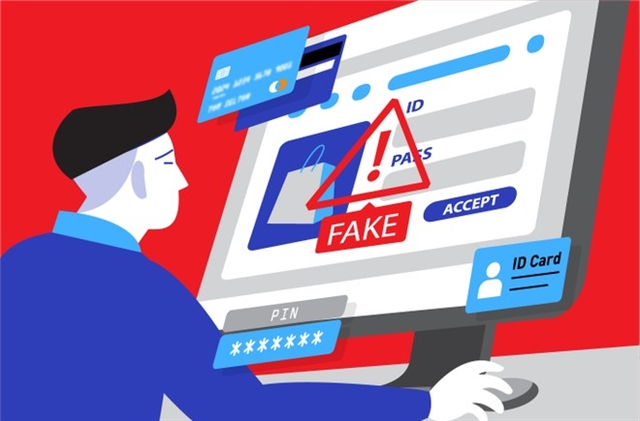
How to Avoid Impersonation Scams When a Streamer Changes Platforms
Transitions create confusion because fans expect a new username, channel, or domain. Impersonators can exploit that uncertainty by copying profile images, old clips, and announcement language.
4 Golden Rules to Protect Yourself:
Only Click Links from Verified Official Channels
Use links from accounts you independently know belong to the creator. Verification badges are helpful supporting evidence, but they should not be the only check.
A creator may not receive a badge immediately on a new platform. YouTube’s channel-verification badge has eligibility and authenticity requirements, while Kick requires streamers to meet published activity and audience criteria before verification.
Verify Checkmarks (Verification Badges)
Learn what the badge means on that specific platform. Do not confuse a subscription, partner, chat, or identity badge with confirmation that the account is the creator’s official new home.
Compare the new profile with the creator’s established accounts, official website, management page, and public announcement.
Check Creation Date and Follower Count
Follower count is not reliable proof. A real new account can begin with few followers, while a fake account can buy followers or register a username months in advance.
Look for reciprocal links, matching live appearances, consistent voice and content, and direct references from older official profiles.
Be Wary of Abnormal Donation/Crypto Requests
Do not send money merely to “verify” your fan status, reserve access, unlock a private stream, or claim a giveaway. Never provide passwords, authentication codes, recovery codes, wallet seed phrases, or remote access to your device.
A creator may legitimately accept donations or cryptocurrency, but payment instructions should appear consistently across their established official channels. Sudden private messages and urgent requests deserve independent confirmation.
Finding a creator’s new streaming platform requires more than searching the old username. Begin with established creator accounts, compare links across several official profiles, and confirm the destination through a direct creator, management, or platform announcement. Use forums, news reports, archived pages, and fan clips as supporting research. They may reveal useful clues but cannot replace primary confirmation.
Do not infer a platform transfer from reduced streaming hours, deleted VODs, cryptic posts, or removed branding alone. Wait until the creator identifies the exact channel, then save that channel through the platform itself. During the transition, treat new accounts, private messages, giveaways, downloads, and payment requests cautiously especially when they cannot be traced back to the creator’s established profiles.