Article
Signs That a Financial Product Page Is Still Accepting New Applications
Searching online for financial products such as credit cards, high-yield savings accounts, fixed deposits, or investment funds frequently leads to older web pages. Even if a webpage displays detailed interest rates, promotional perks, and full feature summaries, the financial product itself may be permanently closed to new applicants.
Distinguishing between an active financial product page accepting new sign-ups and an archived legacy document saves time, prevents exposure of personal data on unmonitored systems, and ensures sound financial planning.
Compliance Regulations and Preservation Reasons for Legacy Banking Pages
Unlike standard retail websites where out-of-stock items are removed, financial institutions actively keep discontinued product pages public for two primary reasons.
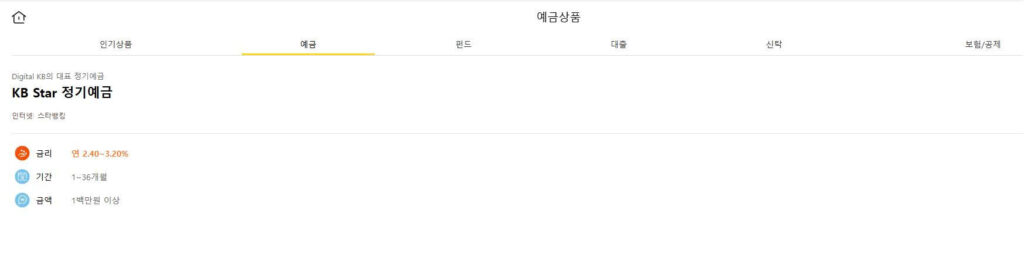
First, financial regulatory frameworks mandate that banks, insurance providers, and asset management firms publicly maintain disclosure documents (such as Product Disclosure Statements or Key Facts Sheets) for existing contract holders. Although new sign-ups are blocked, terms and fee structures remain legally binding for customers who opened accounts prior to product retirement.
Second, long-standing product URLs hold high search authority and incoming backlinks. Deleting these pages creates broken links (404 errors) and degrades search engine performance. Institutions retain the URL infrastructure to service existing clients or redirect prospective leads toward active financial offerings.
Technical Signals and User Interface Indicators for Active Applications
Evaluating whether a financial product is currently open for application requires analyzing conversion gateways, warning badges, and disclosure dates.
Conversion Button Behavior and System Gateway Verification
A page remaining accessible online does not mean a product is open for new sales. Prospective applicants must inspect the primary Call-to-Action (CTA) button:
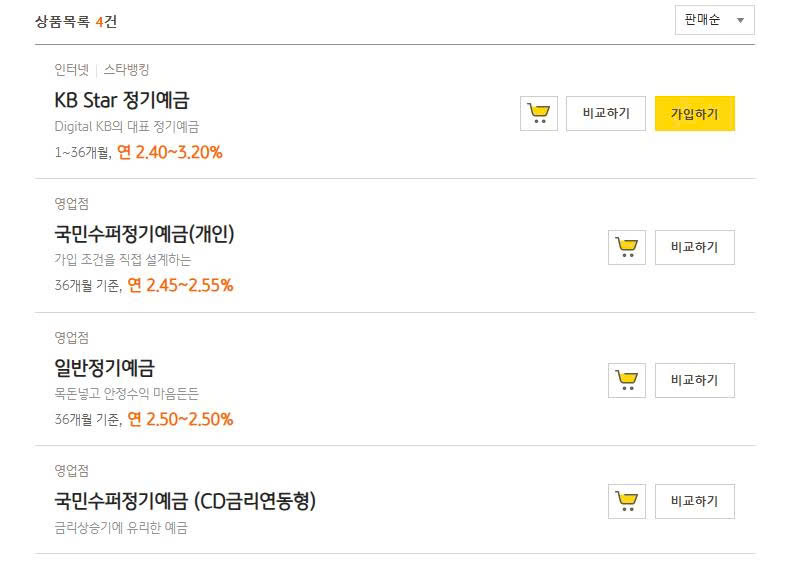
- Active Sign-Up Availability: The CTA button displays direct action labels like “Open Account Now” or “Apply Online,” redirecting immediately to a secure identity verification gateway (eKYC) or live application form.
- Closed Application Status: The button is disabled, greyed out, removed entirely, or replaced with labels such as “View Disclosure Documents,” “Download Fee Schedule,” or “General Consultation Inquiry.” If clicking the button redirects to a general homepage, returns an error, or opens a generic inquiry box, new applications are closed.
Rate Announcement Base Dates and Disclosure Document Matching
Financial product terms are tied to specific economic conditions at the time of issue. Prospective buyers must check the effective base date printed on interest rate tables and fee schedules.
If a deposit page displays a high interest rate but the rate table lists an effective base date from previous years without update notes, the page is obsolete. Cross-referencing the product name against the bank’s current master rate table confirms whether the interest rate remains valid. Furthermore, if attached disclosure PDFs lack current-year revision timestamps, the offering is no longer in active circulation.
Operational Distinctions Between New Sales Suspension and Existing Contract Maintenance
A common source of confusion involves the presence of active login portals on discontinued product pages.
While new sales are permanently suspended, existing account holders require ongoing access to view balances, receive interest payouts, and manage contract maturities. The presence of an “Existing Customer Login” button or active customer service instructions confirms that the bank continues servicing historical contracts, not that the product is accepting new applications.
| Page Element | Active New Product Page | Discontinued Legacy Product Page |
| Primary Conversion Button | Direct eKYC application form gateway | Disabled button, generic consultation form, or PDF link |
| Rate Schedule Base Date | Current calendar year with real-time update notes | Historical base date from previous years |
| Regulatory PDF Status | Updated Key Facts Sheet for current period | Archived Product Disclosure Statement |
| Homepage Navigation | Listed in main active product catalog | Hidden from main navigation; accessible via direct link only |
Successor Product Line Transfers and Terms Disparities
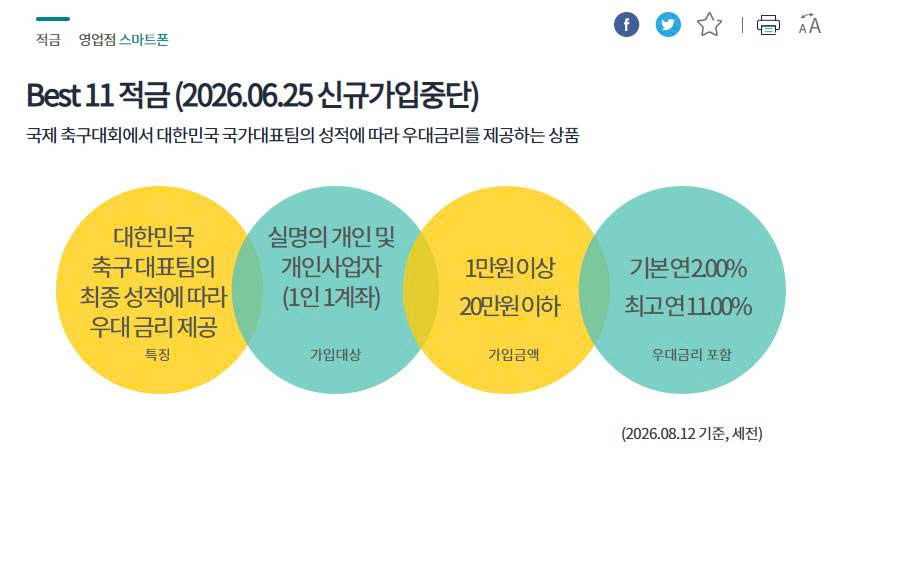
When a financial institution retires a product line, the webpage may feature a “Sale Ending” notice or execute an automated redirect to a successor offering.
However, prospective buyers must not assume that a replacement product shares identical terms with the retired version. Next-Generation product lines frequently alter core features, including:
- Adjusted interest rate calculation methods and promotional bonus conditions.
- Higher monthly maintenance fees or increased minimum balance requirements.
- Stricter early termination penalties and modified insurance coverage limits.
Comparing fee schedules between old pages and new successor pages ensures that applicants evaluate the actual terms governing the new product line.
Verification Workflows, Security Risks, and Common Questions
When encountering a financial product page with an uncertain status, applicants should execute a structured verification sequence:
First, scan the page header and product card margins for warning badges such as “Closed to New Applicants,” “Legacy Product,” “Matured,” or “Discontinued.”
Second, perform an internal catalog search on the institution’s main homepage. If the exact product name is missing from the bank’s primary navigation menu, the page is a historical archive.
Third, contact official customer support channels with the exact product code to confirm whether the offering is open or replaced.
Attempting to submit personal details through residual forms on obsolete pages carries operational and security risks. Unmonitored forms can leave sensitive data sitting unattended, or cause applications to be automatically converted into current product lines with less favorable terms. Furthermore, fraudulent websites frequently copy discontinued financial pages to trick users into revealing account credentials or transferring deposits.
Frequently Asked Questions
Why do search engines continue displaying discontinued financial product pages?
Search engines rank web pages based on authority and historical traffic. Because banks maintain these pages for existing client disclosures rather than deleting them, search engines continue displaying them in results.
Will an application be approved if the “Apply” button on an old page still opens a form?
No. Core banking systems automatically reject discontinued product codes during automated underwriting, or a representative will contact you to announce that the product is retired and suggest an alternative.
Are existing contract holders affected when a financial product is closed to new applicants?
No. Terms, interest rates, and conditions under signed contracts remain legally binding until contract expiration or maturity, unless the institution issues a formal transition notice.